
What Is an SMM Panel and How Does It Work? A Complete Guide
In this article
- What an SMM panel is
- How an order works, step by step
- The layers behind a panel: provider, panel and reseller
- How the API connects the layers
- Service types, order options and statuses
- How pricing and margins work
- Who uses SMM panels and what each group needs
- What a panel can and cannot do
- How to read any panel before you use it
- Where SMMService fits
- Frequently asked questions
- Your next step
If you are asking what is an SMM panel, the short version is this: it is a website that sells social media services and delivers them through software. The longer version involves three layers of businesses, one common API format and a set of order rules that change from panel to panel.
This guide explains each part in order. It is written for beginners, new resellers, aspiring panel owners and agencies. It uses independent research where it exists, dates anything that can change, and says plainly where the evidence is thin.
The short answer: an SMM panel is a web platform where you pick a social media service, enter a public link and a quantity, and pay from a prepaid balance. The panel sends the order to a provider through an API, then shows you the status until delivery ends. Resellers and agencies use panels to supply their own customers, and panel owners connect to a provider to fill their catalog.
Key takeaways
- An SMM panel sells units of activity on a public link, such as likes or views, from a prepaid balance.
- Behind one panel there are usually three layers: a provider, the panel and a reseller or agency.
- Panels talk to each other through an API, most often a v2 format with a key and an action.
- A status is a report about the order, not a promise about the count a month later.
- Rates, delivery and retention differ between panels, so test small and read the terms first.
What an SMM panel is
An SMM panel (social media marketing panel) is a web platform that sells social media services from a catalog and takes payment from a prepaid balance. You choose a service, give a public link and a quantity, and the panel handles the rest.
Researchers at Universidad Carlos III de Madrid describe SMM panels as reselling platforms. In a 2022 study in Computers & Security, they crawled 86 panels every day for four months. They collected about 2.8 million entries and grouped them into roughly 61,000 distinct services. That scale shows why a panel is better understood as a catalog and order system than as a single service.
It helps to be clear about what a panel is not.
- It is not a tool that logs in as you. A 2018 academic study of account-automation services described tools that take a customer's login and act on the customer's behalf. A panel order works differently: it needs a public link and a quantity, not your password.
- It is not an ad platform. An ad platform lets you choose an audience and a budget. A panel sells a number of units of an activity on one link.
- It is not the admin area of a website. Many website systems have a back office also called an admin panel. The SMM panel in this guide is the customer-facing site where orders are placed.
Note: "panel" has two meanings
If someone says they "have a panel," they usually mean a website that resells services to customers. If a developer says "the panel," they may mean the back office. Ask which one before you compare offers.
The terms in this guide stay consistent. A provider is the business or panel you buy from upstream. A reseller buys from a panel and sells on. An agency orders for several clients from one account. A panel owner runs the panel website itself.
How an order works, step by step
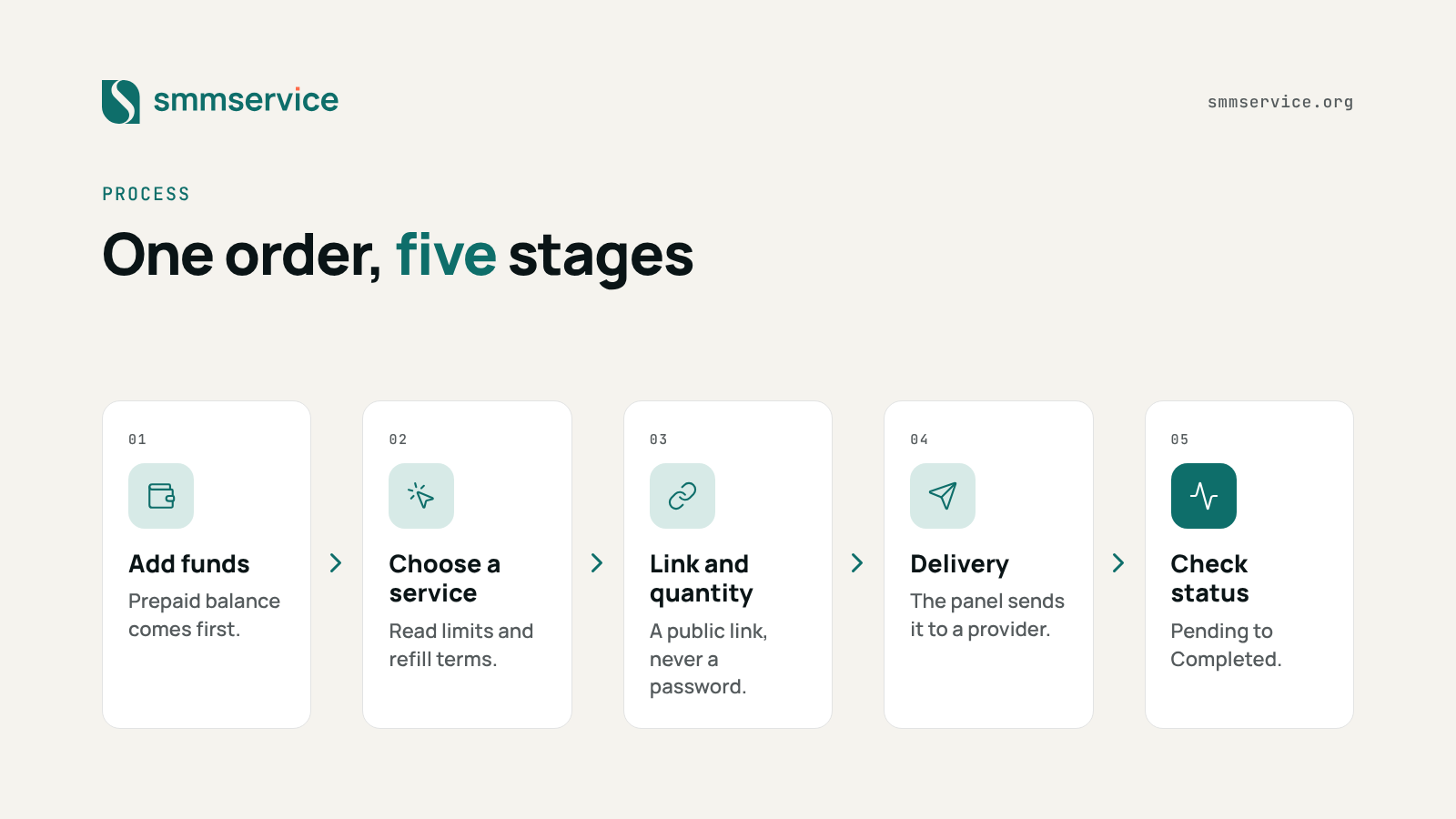
An order passes through five stages: you fund the account, choose a service, enter a link and quantity, wait for delivery, and then check the status. Everything else on a panel is built around those stages.
Behind the order form, the panel calculates the charge, takes it from your prepaid balance and forwards the order to a provider. A client who posted a 2026 job to have a panel built listed the same parts. They asked for a balance, a catalog by platform, an order form with link and quantity, order tracking and a support ticket system. That list is a useful checklist of what any panel contains.
- Create an account and add funds. The balance is prepaid, so every order is paid for before it starts.
- Choose a service. Each service has its own rules: a minimum and maximum quantity, a rate per 1,000 units and, on some services, refill terms.
- Enter the public link and the quantity. The link points to the post or profile the service acts on. The quantity must sit between the minimum and the maximum.
- Confirm the order. The panel deducts the charge and sends the order to the provider.
- Follow the status. The order moves through statuses such as Pending, In progress and Completed. The start count shows the count when delivery began, so you have a reference point.
- Use refill or cancel where they are offered. These options exist only on eligible services, and each panel sets its own conditions.
The most common beginner mistake is to enter a link that is private or mistyped. The provider cannot act on a link it cannot reach, so check the link in a private browser window before you confirm.
The layers behind a panel: provider, panel and reseller
Behind one panel website there are usually three layers: a provider that delivers the work, a panel that sells it, and a reseller or agency that sells to end customers. Knowing which layer you deal with tells you who controls quality, rates and support.
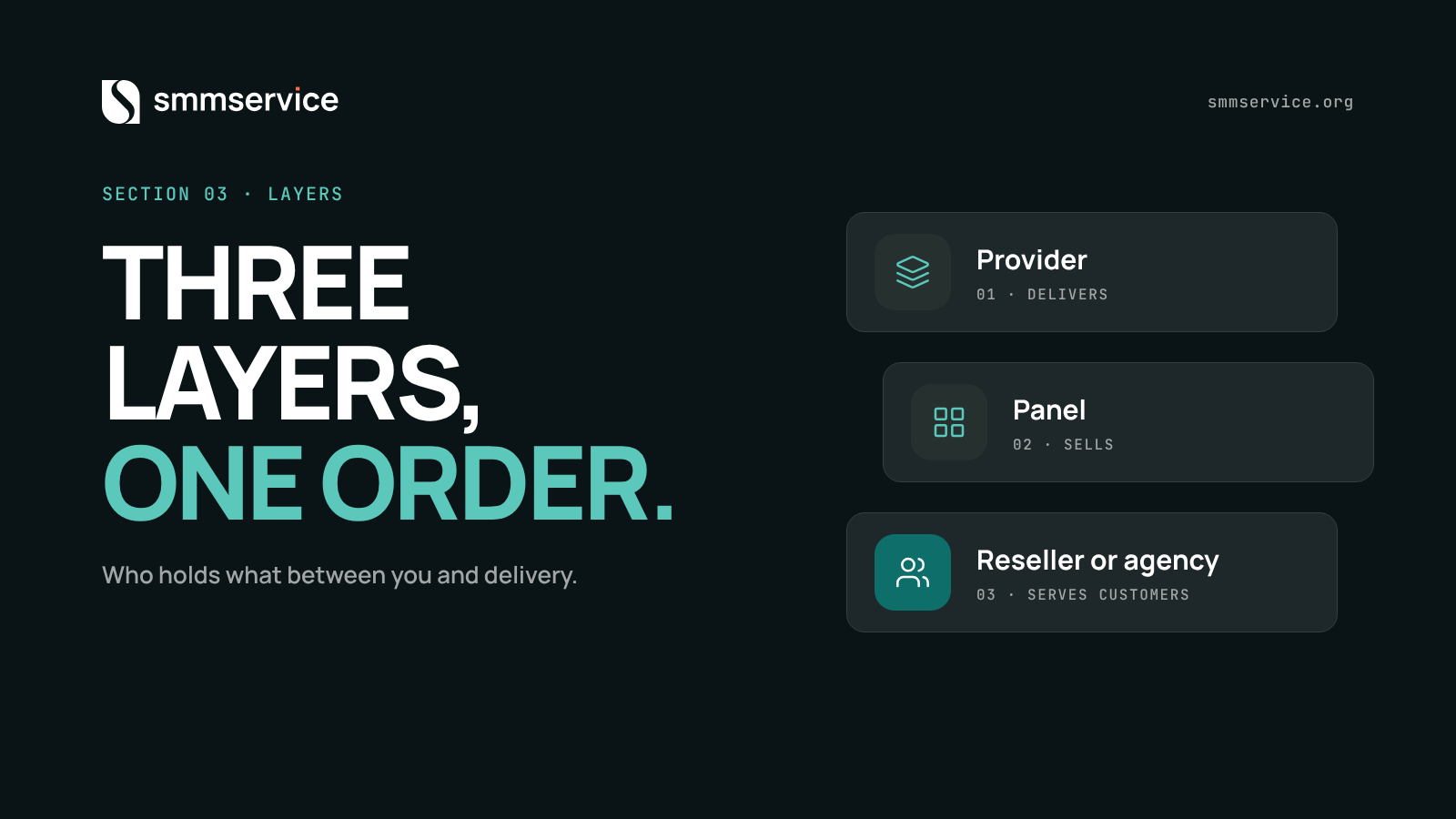
Security researchers mapped one part of this chain in a 2018 talk at the Virus Bulletin conference. They described a main provider, bulk reseller panels that pass orders on, storefronts that sell to customers, and the customers at the end. Their study looked at a specific kind of supply, so we use only their picture of how the layers connect, not their numbers.
| Layer | What it holds | What it decides |
|---|---|---|
| Provider | The capacity to deliver the work | Which services exist, their limits and how delivery behaves |
| Panel | The catalog, prepaid balances, order form and API | The rates it charges, which providers it uses and its support rules |
| Reseller or agency | The relationship with end customers | The retail rate, the packages and what it promises to customers |
Provider
The provider is the layer that does the delivery or controls it. In this guide, a provider can also be another panel that you buy from. Its decisions flow downward: if a provider changes a minimum quantity or stops a service, every panel and reseller below it feels that change.
Panel
The panel is the software and the business around it. Researchers noted in 2019 that panel software is often sold as a ready-made package with hosting. A new panel owner then needs little more than a domain name. The panel's daily work is the catalog, the balances, the routing of orders and the statuses. The job post mentioned above also asked for admin tools to set service prices and margins and to manage providers.
Reseller or agency
A reseller buys from a panel and sells to its own customers at a retail rate. An agency does the same for client accounts, often with several clients in one account. For both, the panel's refill terms and status behavior matter more than any single order, because they decide what the reseller can promise.
Multi-provider panels and child panels
A panel can connect to more than one provider. The 2026 job post asked for exactly that: several providers behind one catalog. This lets a panel fill gaps, but it also means two services that look alike may come from different sources.
A child panel is a different arrangement. On SMMService, the company acts as the parent. A reseller, aspiring panel operator or entrepreneur can buy a turnkey child panel hosted by SMMService. It runs as an independent SMM panel website, and the SMMService name is white-labeled, which means it is not shown. The owner keeps full administrative control and manages their own customers. Fulfillment routes only through the parent site. Child panel clients also receive dedicated priority support, custom discounted rates, payment bonuses, flexible payment methods and a business setup guide.
The practical lesson of the layers is simple: ask how many of them sit between you and delivery. Fewer layers usually means fewer places where a limit, a delay or a price change can enter.
How the API connects the layers
An API lets one system place and track orders on another system without anyone using the order form. It is how a reseller's store, a panel owner's site or an agency's tool talks to the panel that supplies it.
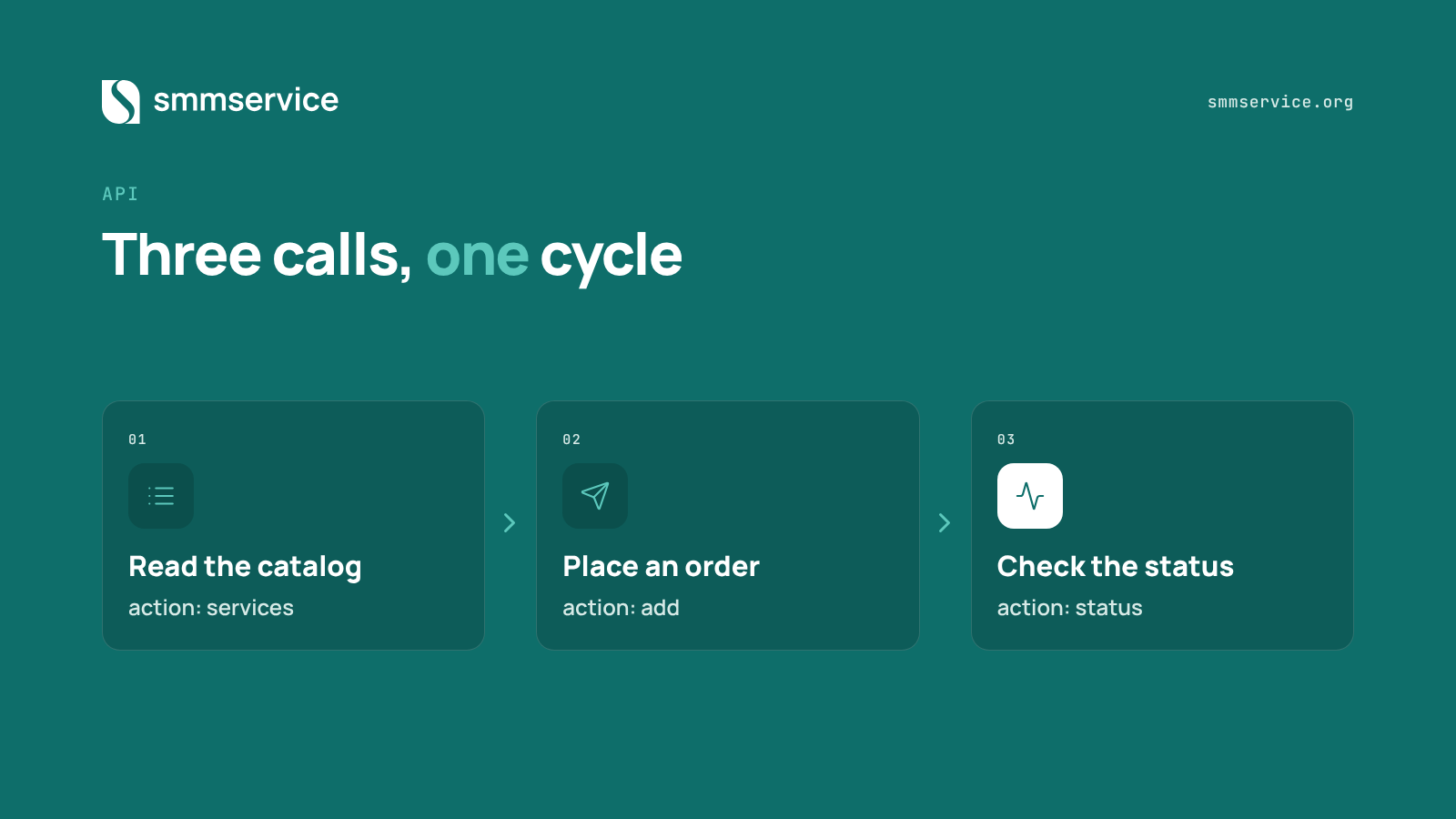
Most panels use a format known as the v2 API. A request is an HTTP POST to a single endpoint, with a form-encoded body. The body carries your API key and an action parameter that tells the panel what to do, and the panel answers in JSON. A 2025 tutorial on dev.to describes this shape, and the README of an open-source Python client lists the same set of operations.
| Action | What it does | Typical fields |
|---|---|---|
| services | Returns the catalog | Service ID, name, rate per 1,000, minimum, maximum |
| add | Places an order | Service, link, quantity; optional comments, runs and interval |
| status | Checks one order | Order ID |
| multi status | Checks several orders at once | A list of order IDs |
| refill | Requests a refill | Order ID |
| cancel | Requests cancellation | Order IDs |
| balance | Returns the prepaid balance | None beyond the key |
The names above are the common ones. They are not a standard that every panel follows, so a short check of the panel's own documentation is always needed.
Note: panels vary
One 2025 tutorial uses different action names in its list and in its code samples, and its code has no error handling. Treat sample scripts as a starting point and test every action against the panel you use.
Connecting a store takes more than pasting a key. A WordPress plugin that links a WooCommerce store to a panel API shows the real work. You add the panel's address and key, then map each product to a service ID with its minimum, maximum and price. After that, you watch for failed orders that need to be resent. The plugin also updates values when the panel changes them. In other words, an integration needs mapping first and monitoring afterward.
Panel owners face the same task in the other direction, because their panel must fetch order status from providers. The 2026 job post lists fetching order status by a cron job or a queue as a requirement, which means a scheduled check rather than a manual one.
SMMService uses the v2 API format, and its documentation is public at smmservice.org/api.
Service types, order options and statuses
Most services use the default type: one link and one quantity. Other types add fields, and every order then moves through a short list of statuses that you can read on the Orders page.
- Default: link and quantity only.
- Custom comments: the order also carries a list of comments to be posted. Both the WordPress plugin and the Python client above support this field.
- Drip-feed: the order is split into runs with a set time between them, instead of one delivery. The API carries this as two optional fields, runs and interval.
- Limits: every service has a minimum and a maximum quantity per order.
On SMMService, service names include details such as the refill terms and a daily maximum, so you can read the conditions before you order. The Orders page has filters for All, Pending, In progress, Completed, Partial, Processing and Canceled. Its columns are ID, date, link, charge, start count, quantity, service, status, remains and action.
| Status | Plain meaning | What to check |
|---|---|---|
| Pending | The order is received and waiting to start | Cancel is still possible on eligible services |
| Processing, In progress | The order is accepted and being delivered | Watch the start count and the remains column |
| Completed | The panel reports that delivery has finished | Compare the count with the start count; use refill if the service offers it |
| Partial | Only part of the quantity was delivered | The remains column shows the undelivered part; read the panel's terms about the charge |
| Canceled | The order was stopped before it finished | Check your balance and the order details |
These are plain-language meanings of the labels. What happens to the charge on a Partial or Canceled order is a rule of each panel, so read the terms of the panel you use.
On SMMService, Cancel and Refill buttons appear in the Action column on eligible services. Cancel works while an order is Pending, Processing or In progress. On services with refill enabled, Refill activates after the order is Completed and a service-specific cooldown has passed.
Warning: Completed is not a lifetime count
Completed tells you the order finished. It does not tell you what the count will be next month. Check the refill terms in the service name before you rely on a number.
How pricing and margins work
A panel prices each service by a rate per 1,000 units, so the charge for an order is the rate multiplied by the quantity and divided by 1,000. The rate is shown on the service before you order, which makes the cost of an order known in advance.
The same service is not priced the same everywhere. The Madrid study found that identical products sold at noticeably different prices across panels. The authors read this as a sign of an immature market, where sellers may be unsure what their services are worth. Some services in the study were also offered free so that buyers could test the quality first. For you, the useful conclusion is that a low or high rate alone says little. Compare the rate together with the terms of the service.
Example: these numbers are invented to show the math, and they are not SMMService rates. A service has a rate of 2.00 per 1,000 units. An order of 5,000 units costs 2.00 × 5,000 ÷ 1,000, which is 10.00. A reseller who sells the same 5,000 units at a retail rate of 3.00 per 1,000 charges 15.00. The gross margin is 5.00 before any costs.
The margin is smaller after costs. A reseller or panel owner pays for the panel software and hosting, for payment processing, and for the time spent answering support tickets. The job post above lists online payments and a ticket system among the requirements, which shows that these are standard parts of running a panel.
Tip: work out the margin per order
Before you set a retail rate, subtract your wholesale rate and an estimate of your costs per order. If the result is thin, a small change in a provider's rate can erase it.
A free test is a common way to check quality before spending. On SMMService, a user who wants a test before depositing can ask the admin or the support team directly. For current rates, see the services page.
Who uses SMM panels and what each group needs
SMM panels serve five groups: individuals, freelancers, resellers, agencies and panel owners. They use the same system, but each group cares about a different part of it.
- Individuals and small businesses place a few orders. They need clear service names, a small minimum and a way to test.
- Freelancers order for a few clients. They need predictable statuses so they can report to the client.
- Resellers buy to sell on. They need a stable catalog, written refill terms and support that answers quickly.
- Agencies manage many client accounts. They need consistent behavior across orders, and an API or bulk tools when the volume grows.
- Panel owners run their own panel. They need a supplier with an API, a catalog that stays current and rates that leave room for a margin.
Independent data on who buys is limited and dated. The Madrid researchers say buyers range from influencers promoting their own channels to brands seeking visibility. A 2019 conference talk analyzed 522 accounts that looked like customers of one Instagram supplier. About 26% were personal profiles, about 21% sold products or services and about 20% were in entertainment. That is one supplier, one platform and an older period, so read it as a sketch of the buyer mix and not as today's split.
Our reading is that the group you belong to should decide what you check first. An individual should check the minimum and the terms. An agency should check consistency and support. A panel owner should check the API and the supplier's behavior over several weeks.
What a panel can and cannot do
A panel delivers units of activity on a link. It does not deliver an audience, sales or a promised result, and the count you see right after delivery can change later.
Independent measurement shows how much delivery varies. In 2025, the NATO Strategic Communications Centre of Excellence bought engagement from ten commercial providers on test posts across seven platforms. According to its report published in January 2026, the share of purchased engagement still showing after four weeks ranged from about 43% on one platform to 100% on another. The share delivered within 72 hours averaged about 76.5%, down from about 96% in 2024. This was one experiment on test posts, so it is not a rating of any single panel. It does show that delivery speed and retention are not constants.
Counts are also a weak signal for the people behind them. A 2018 study of Twitter accounts found that ordinary profile features, such as follower counts and ratios, barely separated customers of follower-selling services from random users. DataReportal adds a related caution. Its Digital 2026 report counts 5.66 billion social media user identities, or 68.7% of the world's population. It notes that identities may not be unique people, because duplicate and fake accounts can inflate the figures.
From this evidence, four limits follow.
- Delivery speed and retention differ by platform and by year.
- A completed order says little about the count a month later.
- A number on a profile is not the same as an audience.
- A panel cannot fix weak content or a weak offer.
Four common misconceptions
"I must give my password." A link-based order needs a public link, not a login. Do not share a password for an order.
"Delivery is instant and permanent." Delivery can take time or arrive in parts, and the count can change afterward. The refill terms exist for this reason.
"All panels are the same." Prices, limits and terms differ between panels, as the Madrid catalog study showed.
"An API means a direct link to the platform." An SMM panel API connects you to a panel or provider, not to the social platform.
How to read any panel before you use it
Eight checks cover most of what you can verify before you spend money. They take a few minutes and work for any panel.
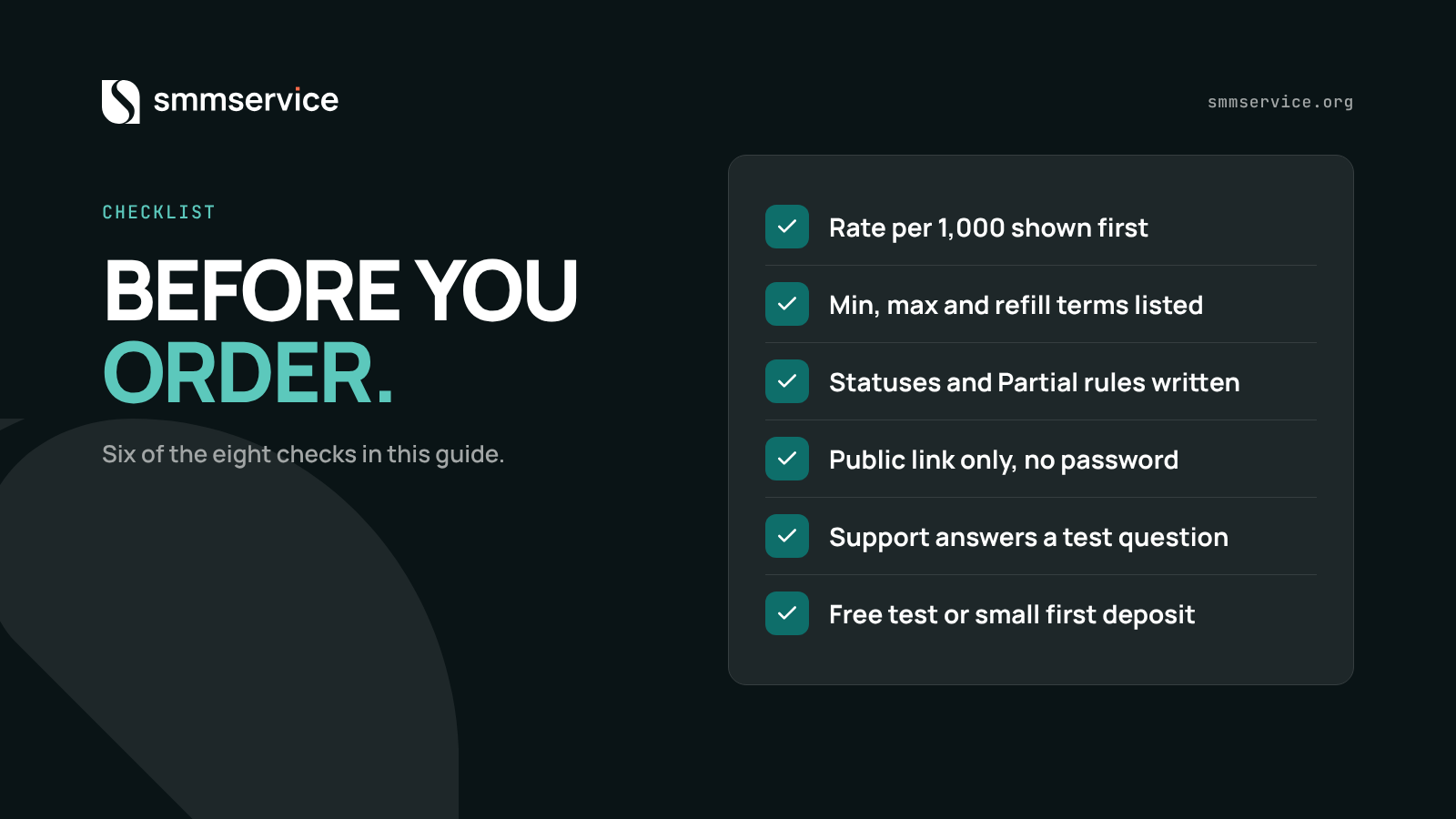
The checks follow from the evidence above. Rates and terms vary, so you compare them. Retention and delivery vary, so you test and then look again later.
- The rate per 1,000 units is visible before you order.
- Each service lists its minimum, maximum and refill terms.
- The statuses are documented, including what Partial and Canceled mean for the charge.
- The panel asks for a public link and never for your password.
- Refill and cancel conditions are written down, not promised in chat.
- A support route is stated, and it answers a test question.
- A free test or a small minimum deposit lets you try before you scale.
- If you plan to connect, the API documentation is public.
The last step is time. Place the smallest order, note the start count and the end count, then look again after a week and after the refill period. NATO's four-week measurement is a reminder that a count taken on the day of delivery is only the first data point.
Where SMMService fits
SMMService is a primary provider and wholesale service supplier. In the layers model above, it sits in the provider layer. It serves regular clients, business owners and other SMM panel operators, and its catalog and current rates are on the services page.
- Catalog and deposits: as of October 2026, the catalog lists more than 5,000 services, updated daily. The minimum deposit is $1. Deposits, order processing and routing are automated, and orders are sent to the server as soon as they are placed.
- Orders page: status filters and the Cancel and Refill rules work as described in the section on statuses.
- API: the v2 API format, with public documentation at smmservice.org/api. An API key is generated after you log in. The API is for panel owners who run their own business and want to connect directly and resell the catalog, and it is not meant for ordinary retail users.
- API client perks: custom discounted rates below the public pricing, with larger discounts at higher volume, plus dedicated priority support, tiered discounts, deposit bonuses, flexible payment options and business guidance.
- Support: live chat, direct access to the admin and an automated AI support bot. API clients also get a dedicated VIP support group with 24/7 support.
- Child panels: available as described in the layers section.
If you cannot find a service, the team can source it and add it. First-time panel users also get foundational onboarding guidance.
Frequently asked questions
Do I need to give my password to an SMM panel?
No. A link-based order needs a public link and a quantity. Tools that ask for your login work differently, and a panel order does not need one.
What is the difference between a provider and a panel?
A provider delivers the work or controls its delivery. A panel is the website and software that sells it, holds the balances and routes the orders. A provider can itself be another panel.
What is a child panel?
A child panel is an independent panel website that runs on a parent panel's supply. The owner manages the customers and the site, while fulfillment routes through the parent.
What does Partial mean?
Partial means only part of the ordered quantity was delivered. The remains column shows the undelivered part. The charge rules for that part belong to each panel's terms.
What does refill mean?
Refill is a request to restore delivered activity that dropped, on services that offer it. On SMMService, it activates after an order is Completed and a service-specific cooldown has passed.
How do SMM panels make money?
A panel earns the difference between the rate it pays upstream and the rate it charges, minus its costs for software, hosting, payments and support.
Can I connect my own panel through an API?
On SMMService, yes. The API is for panel owners and uses the v2 format. The documentation is at smmservice.org/api, and the API key is generated after you log in.
In short
An SMM panel is a catalog and order system on top of a provider. Learn the three layers, read the statuses as reports, compare rates together with terms, and test small before you scale.
Your next step
You now have the model: a panel sells units of activity on a link, a provider sits behind it, and an API connects the layers. The fastest way to make it concrete is to place one small order and watch it move through the statuses.
After you sign up, browse the catalog and find the service you need. You can compare services by their rates and terms, then choose one and set the quantity. Add funds to match the order using the automated deposit system. The minimum deposit is $1, so a first-time user can test the platform with a small balance before scaling up. Orders are sent to the server as soon as they are placed. If a service you need is missing, contact us and we can source it. Complete beginners get foundational guidance along the way.
When you are ready, create your SMMService account.
Open your wholesale account
Free to join, no monthly fee. Order in the dashboard or through the API.